


Figma Thumbnail Kit
Everything you need to keep your Figma files organised, with 50+ customisable thumbnail designs for a clean, consistent workspace.
- 50+ Ready-Made Thumbnail Designs
- Light and Dark Modes
- Step-by-Step Tutorial
What’s included
- 50+ Ready-Made Thumbnail Designs
- Light and Dark Modes
- Step-by-Step Tutorial
- Free Lifetime Updates
How it works
- 01
Choose your thumbnails
Pick the designs you like and copy them into your Figma file.
- 02
Switch between light and dark
Change the thumbnail mode with a single variable selection.
- 03
Customise the colours
Adjust colours and background effects to match your style.
FAQ
Do I get future updates for free?
Yes! Once you buy the kit, all future updates and new designs are included. No extra cost.
Can I use the thumbnails in other tools?
The kit is made for Figma, so that’s where the templates work best.
Can I customise the thumbnails?
Of course! Change the colours, edit the text, or tweak the design to fit your style. You can make them your own and organise your projects the way you like.
Overview
Why you can never find the file you need
When you work on a lot of projects, your Figma files pile up fast. In the file grid they all look alike, so you open file after file until you find the right one.
The hard part is staying organised
The moment you need a file is usually the moment you have no time: a client is waiting, or a call starts in five minutes. Search only helps if you remember what you called it. So how do you keep every project easy to find without spending hours organising?
This is how you find any file at a glance
The Figma Thumbnail Kit gives every file a cover you can spot in a second. It has 50+ minimal thumbnails in light and dark, all fully customisable. I made it for my own client work, and now I find every project straight from the grid, with no searching.
A look inside
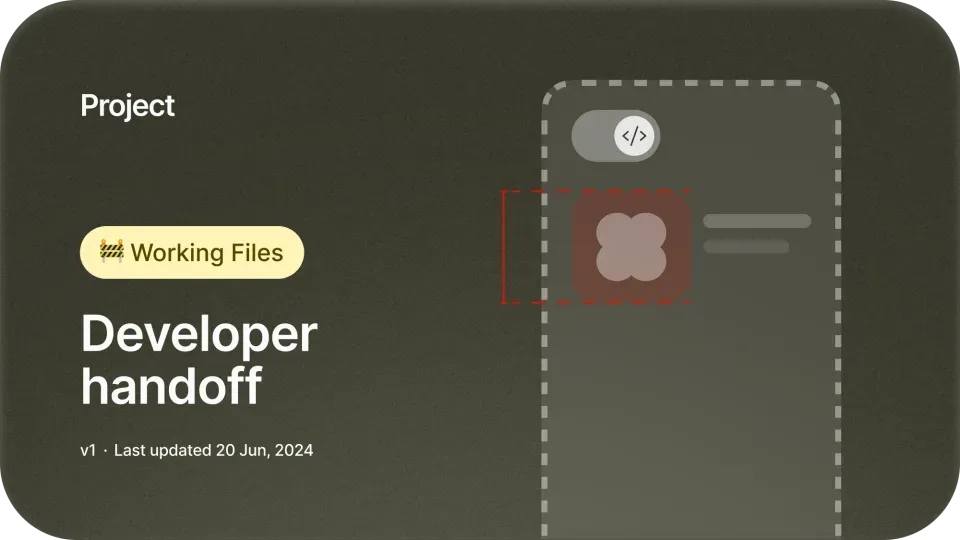
50+ thumbnails in light and dark.



Reviews
What designers are saying
I truly appreciate how Faizur has designed this Figma Thumbnail Kit with such cohesive aesthetics. It has completely transformed my chaotic Figma files into a neat and organized layout. The thumbnails are not just attractive—they help keep everything in order, making it super easy to find files quickly. Excellent job, man! Highly recommend it! 🔥
Asim AntuleAmazing work! It’s the most complete and coolest Thumbnail Kit for Figma. It has everything you need to keep your files in order while looking professional.
Afshin T2YMy files look so nice, organized, and professional now! These covers have truly elevated the overall presentation of my work.
Nico
First of all, the Figma Thumbnail Kit is fantastic—I love how clean and organized the thumbnails are. I've been following Faizur for a long time and I can affirm that he's an absolute beast. Everything he does is really high quality. I'd trust Faizur for anything I need that requires a high-quality expectation.
Jordi EspinosaThe thumbnail designs are sleek, clean, consistent and crafted with care! I love the different variations available for us to choose from as organizing my Figma projects are now easier!
Rachel HowI LOVE my new Figma covers. Thanks to Faizur, I was able to better organize my projects with these covers. Thanks, man, for this great contribution!
Hey James
This Figma Thumbnail Kit has been a game-changer for me. It instantly made my files look more professional and organized, saving me so much time. I no longer worry about creating covers from scratch—everything is ready to go. Thank you, Faizur! ❤️
AlishbaEven if you don't have a habit of using clean thumbnails, the workflow and the structure Faizur uses in his files will make you fall in love and want to become a neat and organized designer. Beautiful, simple to use, and perfectly structured.
Anfisa BogomolovaCongrats @faizur on launching the Figma Thumbnail Kit! 🚀 Such a smart solution for messy files. Can't wait to see how this helps streamline my workflow!
Dashuai

Faizur Rehman
I’m a designer, creative director and educator with 14+ years of client work. I’ve worked with 50+ founders and companies, from early-stage startups to teams that have raised over $25M. I also write about design, pricing and the systems that help freelance designers earn more.
From the creator:
Finding the right file was never easy for me.
Every project I design lives in Figma. But as a designer working on many client projects at once, keeping my files in order was the part I never got right.
My drafts grew to hundreds of files that all looked the same, and I'd open one after another just to find the project I needed. I wanted a custom cover for every file, but designing one each time took too long, so most never got one. Over time I designed a set of covers in one style, in light and dark, for every kind of file I work on, and I've put all of them into this kit.
I want you to open Figma and see every project at a glance, without designing a single cover yourself. This is the kit I wish I'd had when my files first got out of hand, and I hope it gives you back the time it gave me.
Get the Figma Thumbnail Kit today.
“Amazing work! It’s the most complete and coolest Thumbnail Kit for Figma. It has everything you need to keep your files in order while looking professional.”